Overview
UpHex is an ad platform for agencies that run Facebook and Google ads for local businesses. In 2024 I designed its product: a design system, a faster way to read campaigns, campaign and template scores, client onboarding and an AI chat assistant.
The problem & solution
UpHex already had its main features, but the product was slow to read and hard to move around, and it had no design system behind it.
- The side navigation had too many items.
- The campaign data table was hard to follow.
- There was no navigation, such as breadcrumbs, between sub-pages.
- Viewing a campaign's content took many clicks.
- Creating a campaign template took many steps.
- Nothing scored a campaign or a template, so agencies could not judge what worked.
- There was no onboarding and no login flow.
- The chatbot and AI campaign generation (images and ad copy) had no design yet.
- A design system for the whole product.
- An overlay view to look at a campaign's content quickly.
- A campaign score and template effectiveness, with new metrics screens.
- A client onboarding flow.
- A chatbot, Uppie, that helps write the ad copy and generate the images.
A home screen that points to the next step.
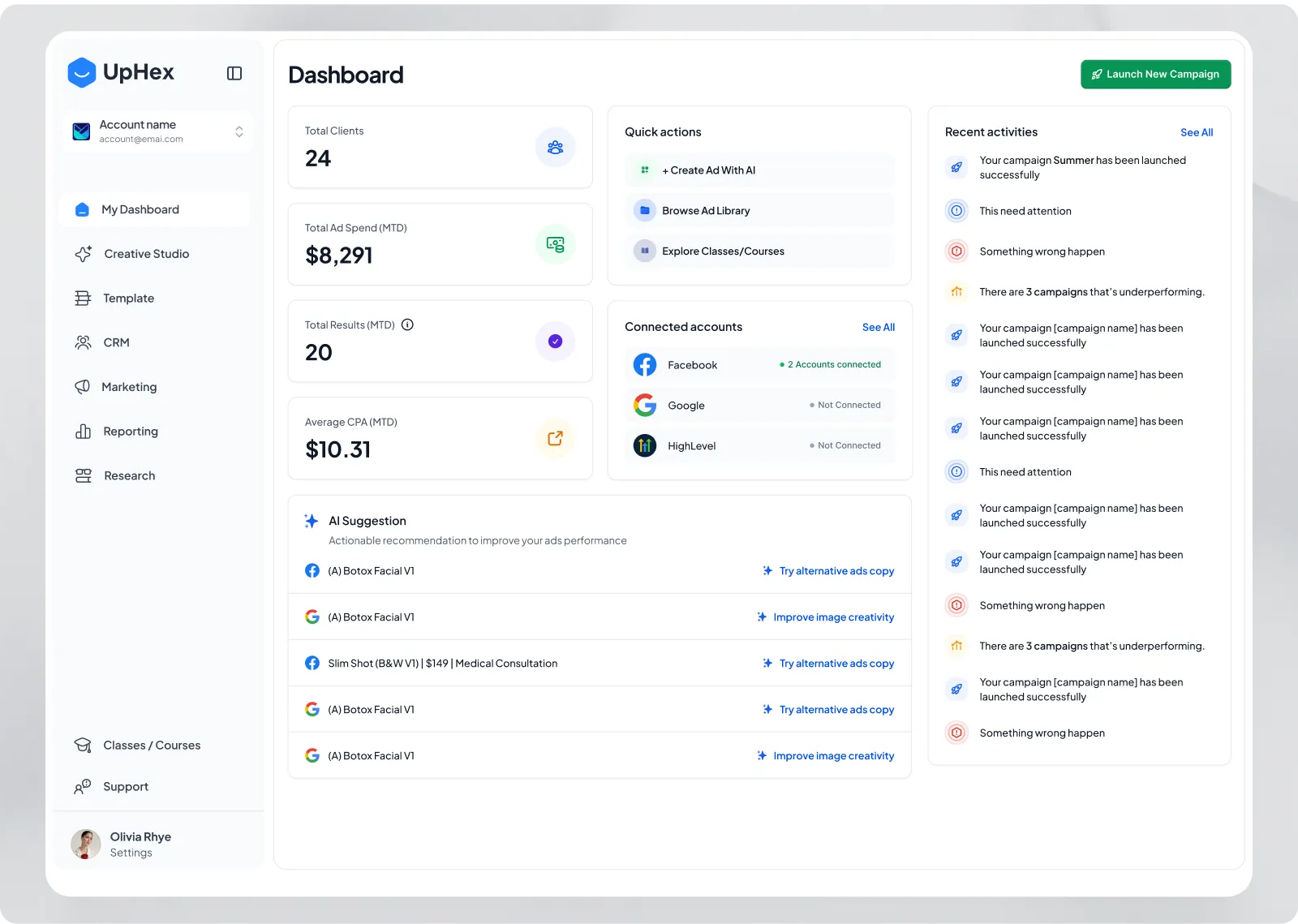
The four headline numbers sit at the top. Quick actions, connected accounts and AI suggestions share the middle, and recent activities run down the right with an icon for each kind of event. An agency sees what needs attention first, then how to act on it.
Read the numbers first, then the campaigns.
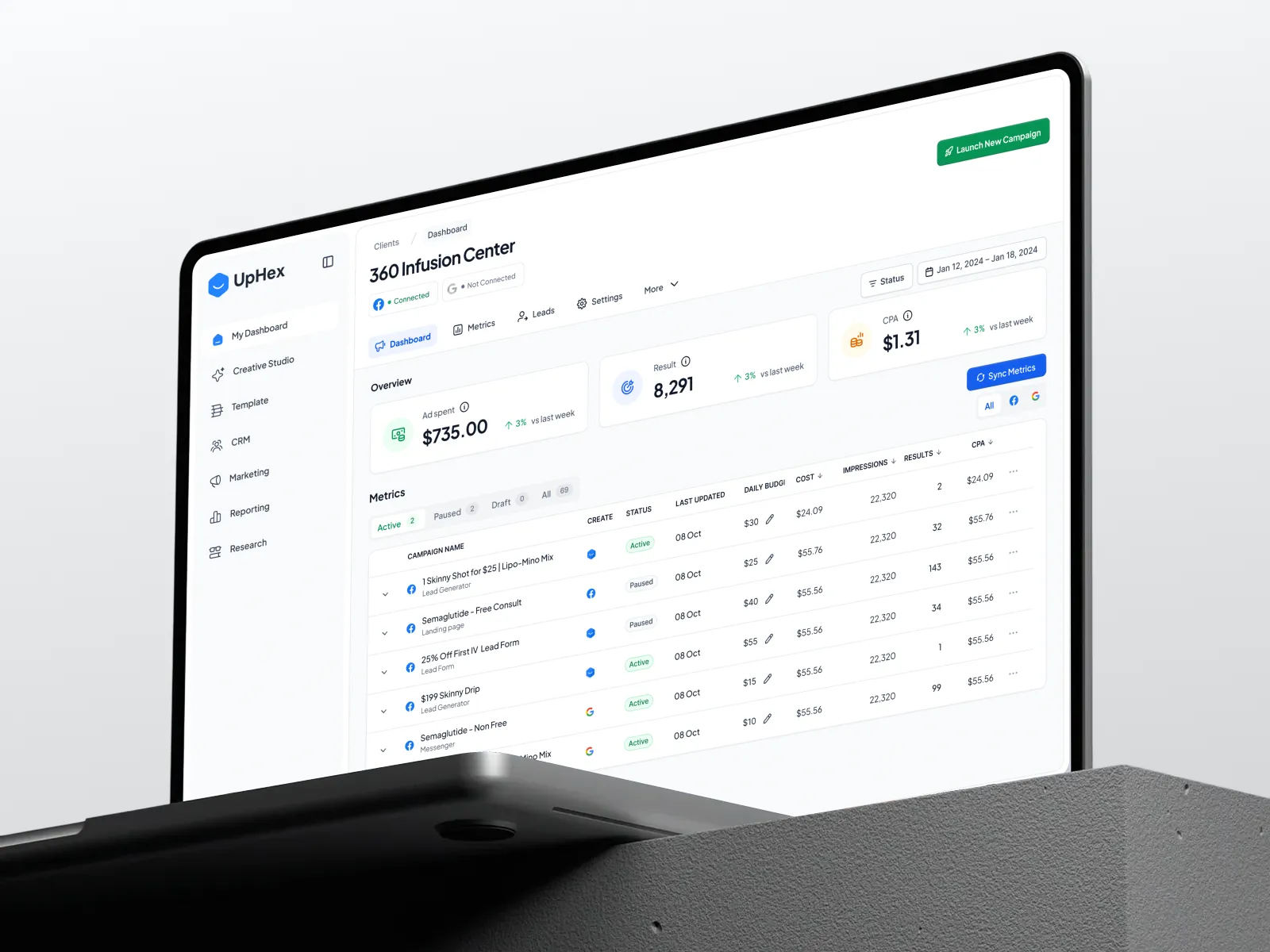
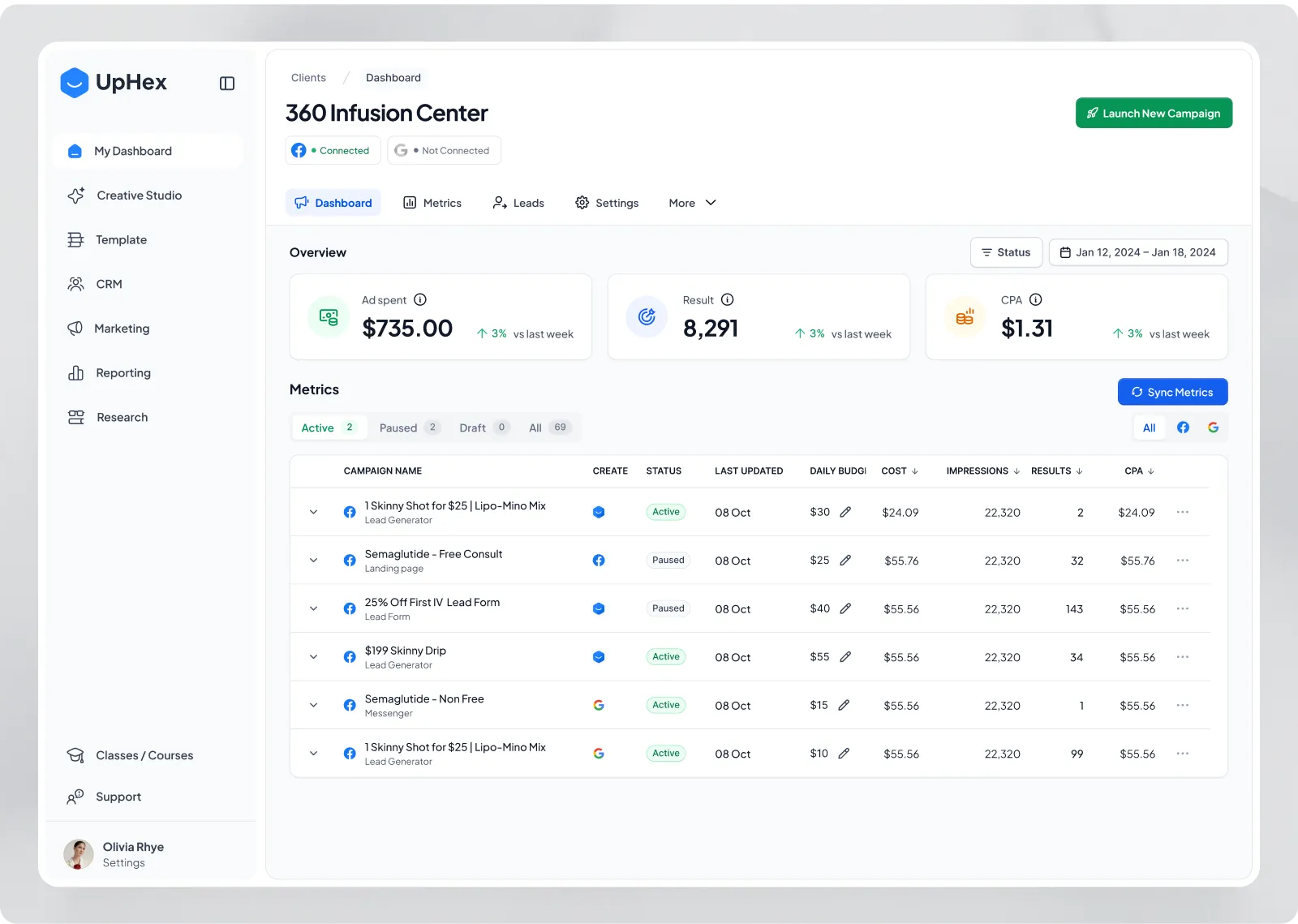
Three summary cards show ad spend, results and cost per result against last week. Below them the table is cut down before it is read, with status tabs that show counts and a platform filter. Breadcrumbs and client tabs keep the reader oriented between sub-pages.
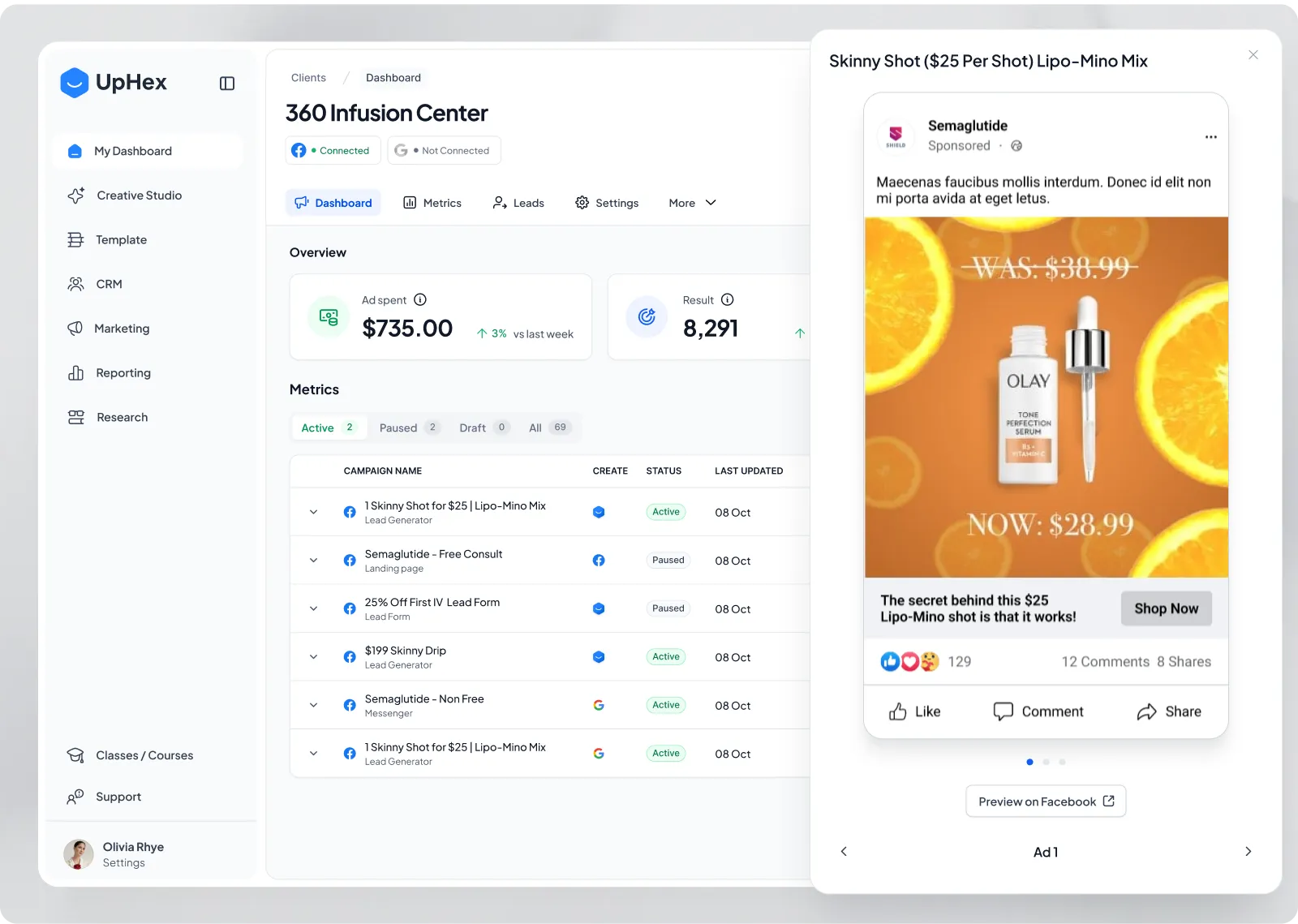
Check an ad without leaving the table.
Opening a campaign slides in an overlay that shows the ad as it appears on Facebook, with arrows to move between ads. The table stays visible behind it, so what used to take several clicks takes one.
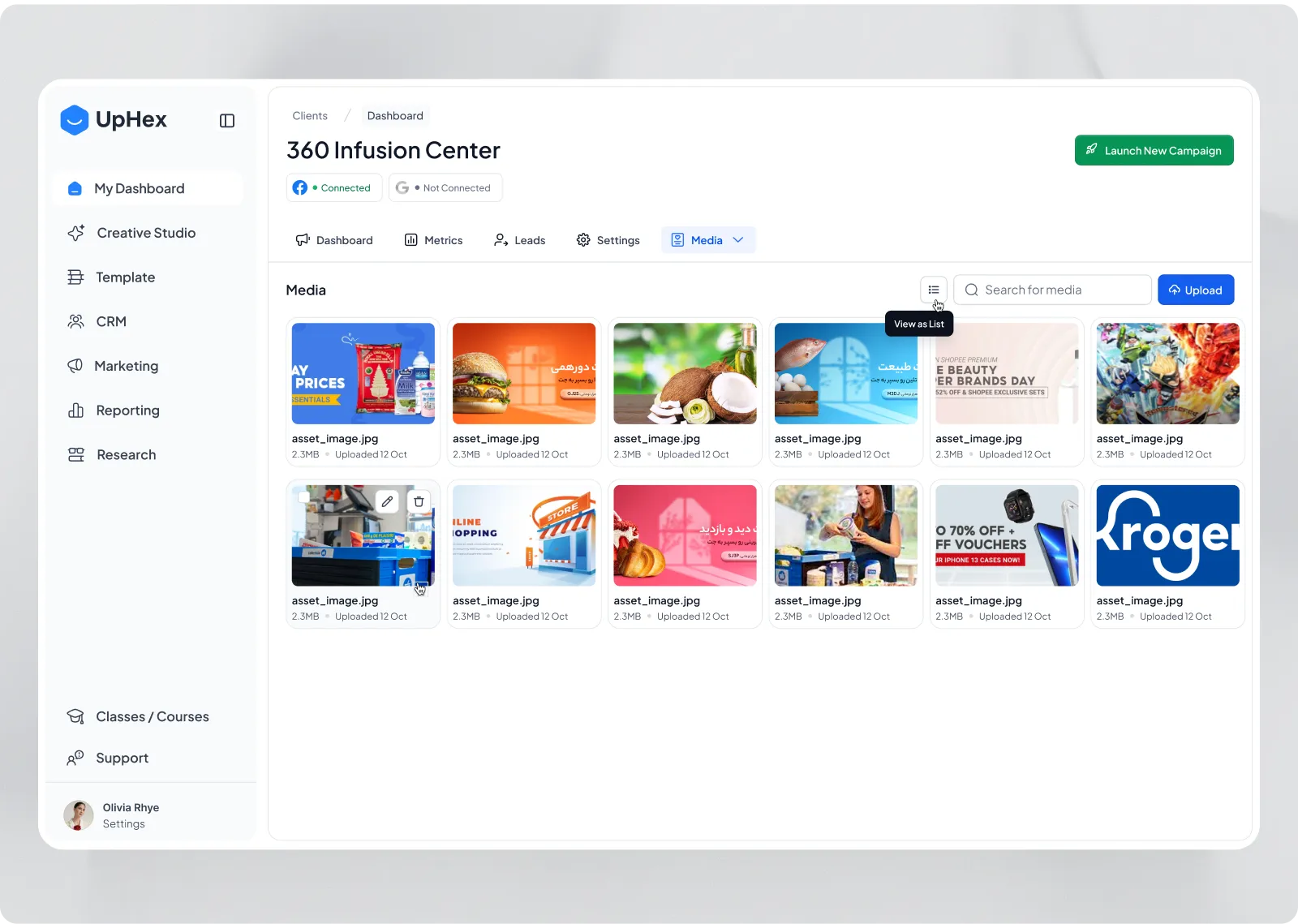
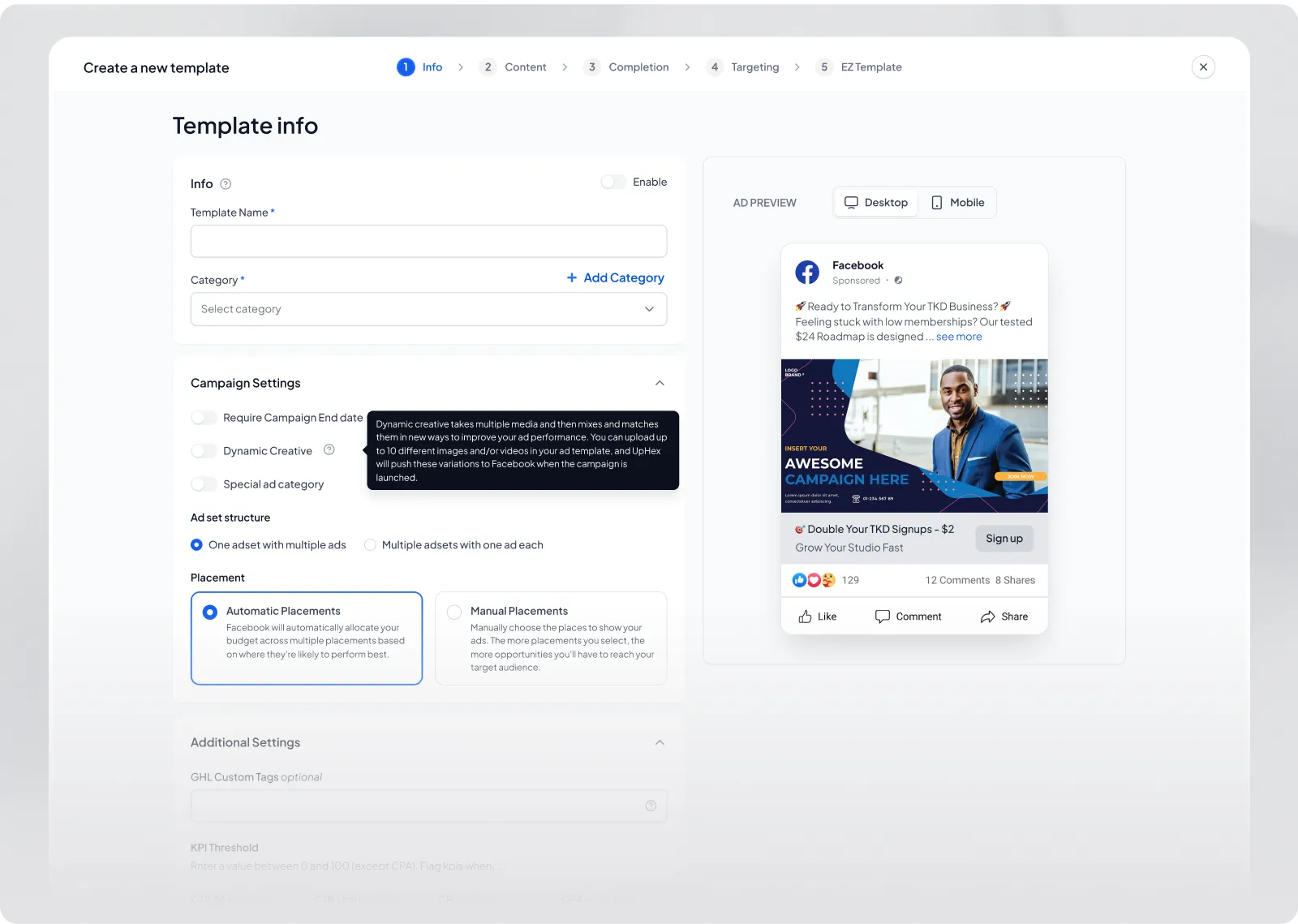
A long setup, cut into five steps with a live preview.
Template creation runs through five labelled steps: info, content, completion, targeting and the finished template. The ad preview stays beside the form with a desktop and mobile switch, and short tooltips explain terms like dynamic creative at the moment they matter.
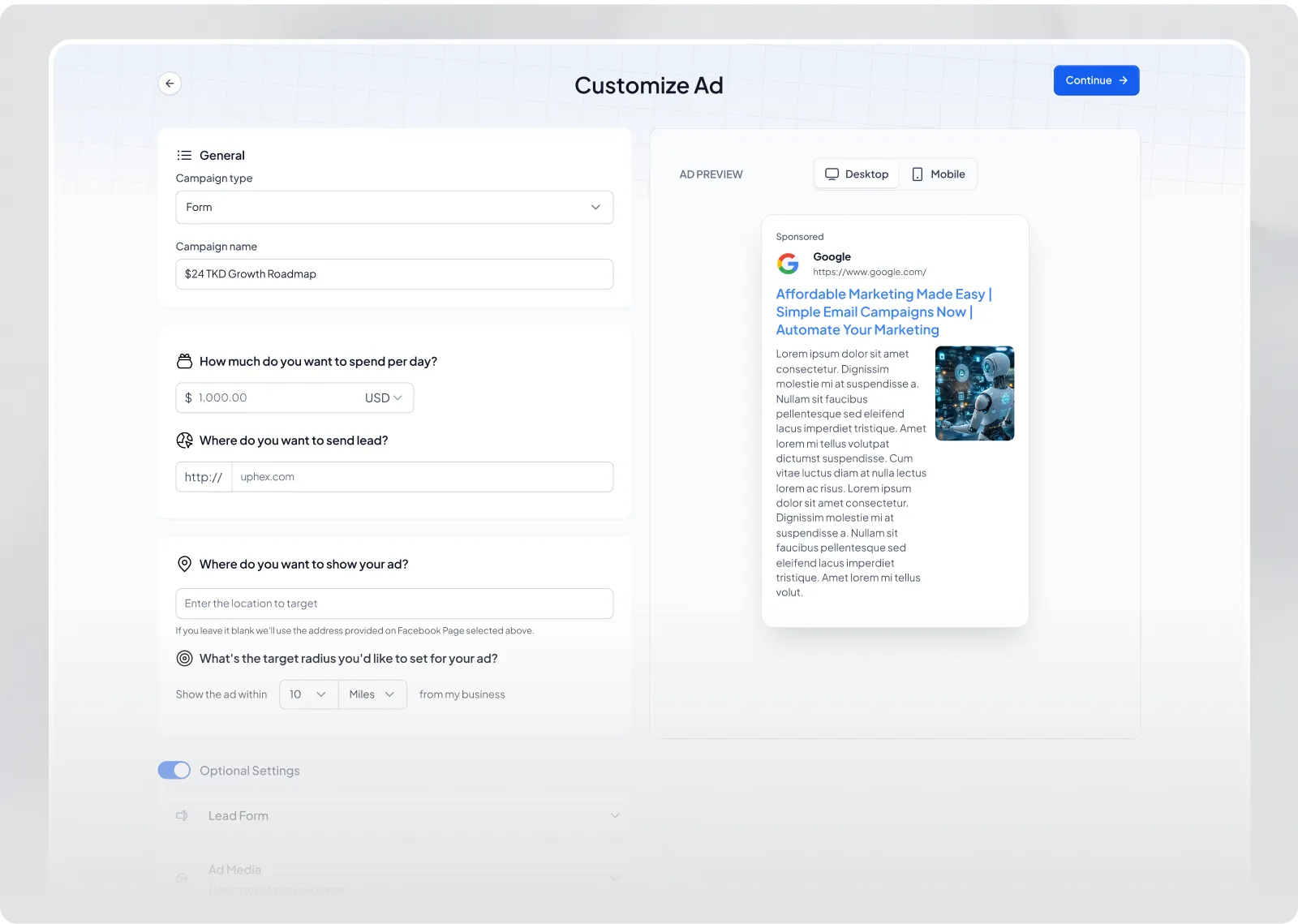
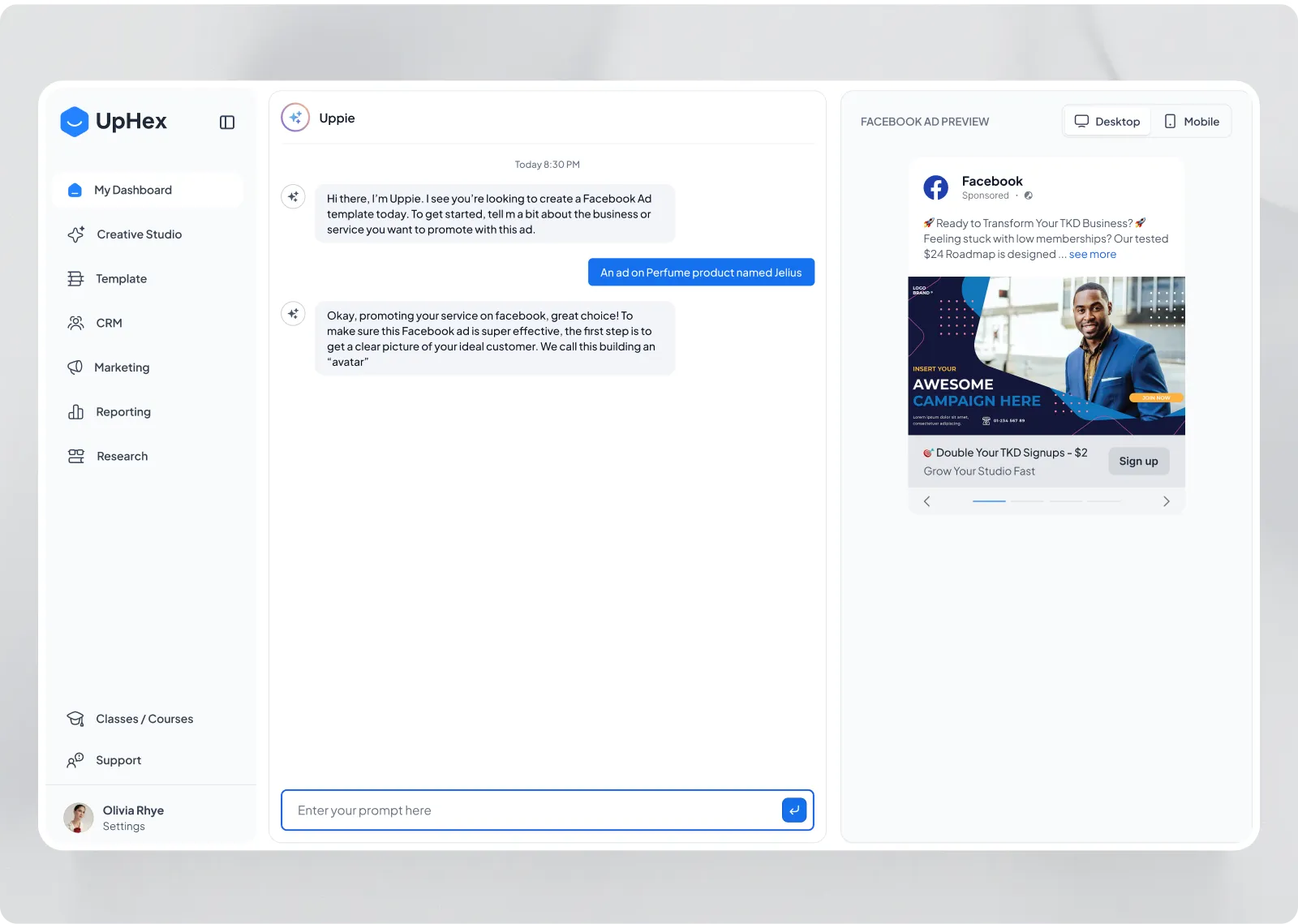
Ask one thing at a time, and show the result as it forms.
Uppie opens by asking what the ad is for, then walks through the customer, the audience and the tone, one question at a time. The ad preview sits beside the conversation, so the agency sees the ad take shape instead of waiting for a final answer.
Other projects